Elle Cuisine · Food ordering and delivery

Catering delivery, booked online, from the menu to the delivery window.

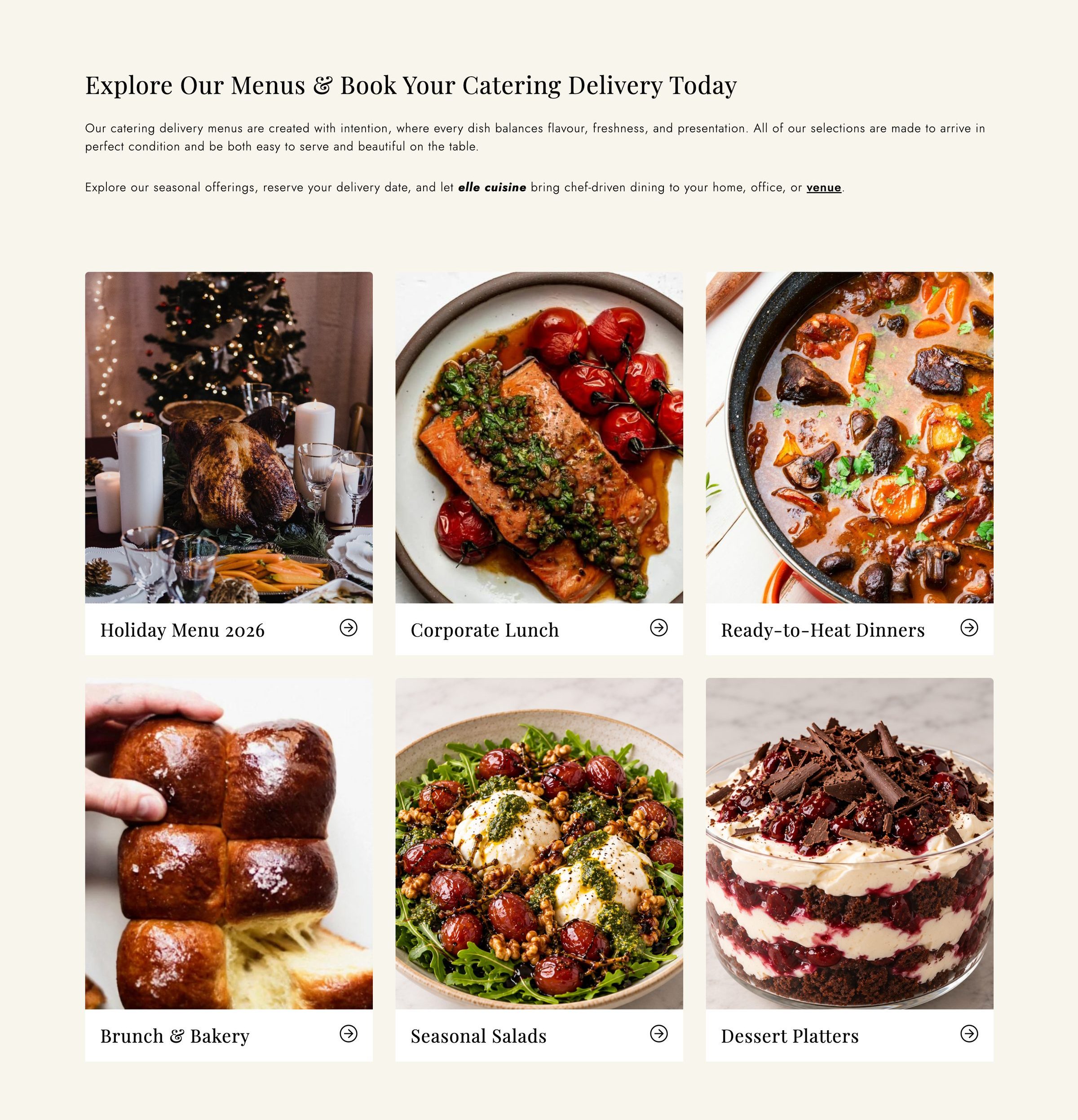
Elle Cuisine is a Toronto caterer. Its catering delivery site takes orders for prepared meals, packages and kits, delivered or picked up in a time window the customer chooses. We built the site on designEdit and keep adding to it.

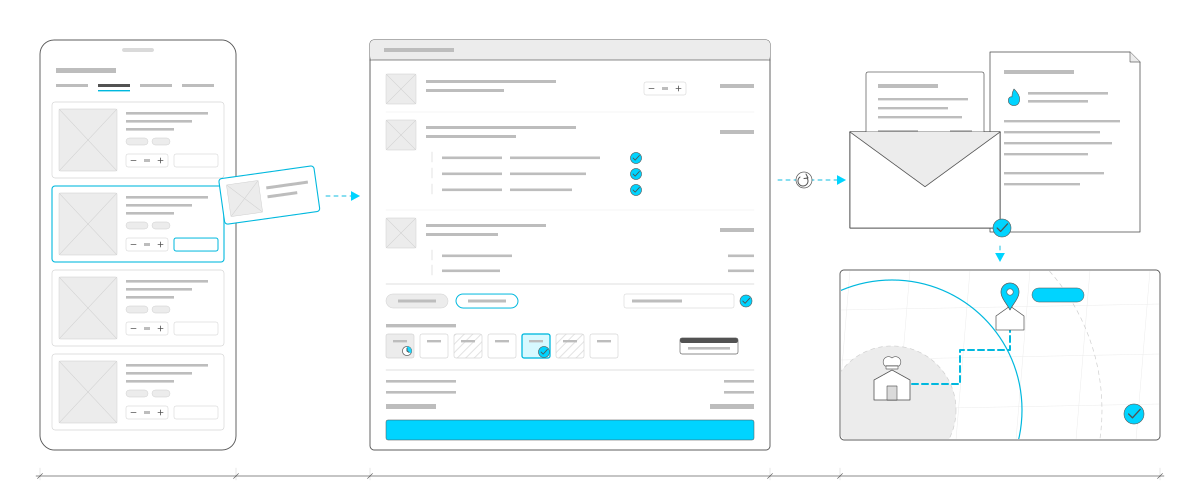
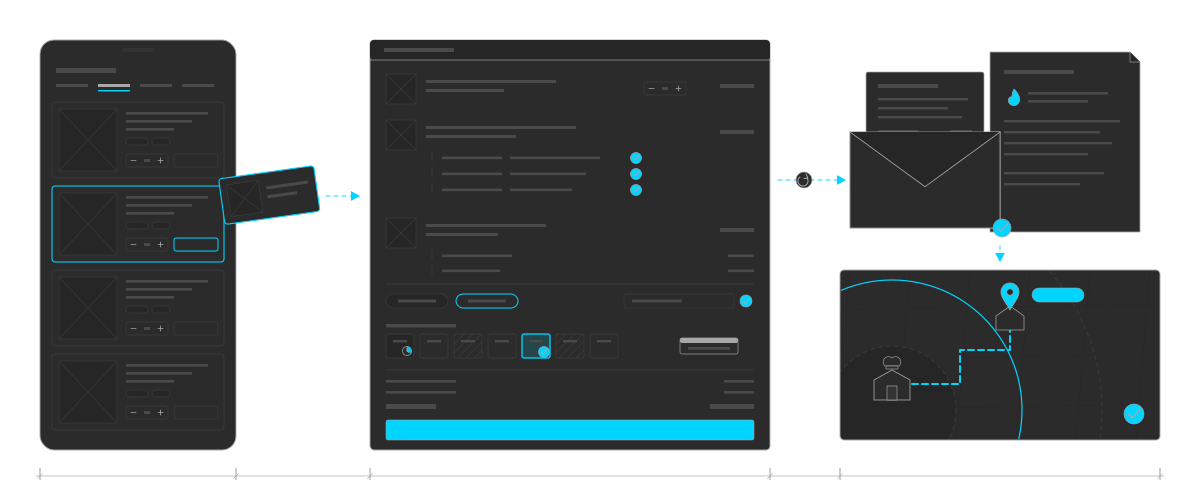
One order from the menu to the door, drawn as a path left to right. A phone with the menu, one dish outlined in cyan and lifting out of it. A dashed cyan arrow to the cart, the largest window: a dish with its quantity, a package with a cyan tick on each of its three courses, a kit with two extras, two add-ons with one chosen, a promo code with a tick, a strip of the week's windows with one full, one too soon and one chosen in cyan with a tick, the date of the menu, the totals and a cyan pay button. An arrow, with a small re-check symbol on it, to an email with the receipt sliding out and the heating instructions behind it, marked with a cyan flame. Then down to a map: the kitchen inside its distance bands, a dashed cyan route along the streets to a cyan pin over a house, a cyan fee label and a tick. One measuring line runs under the whole path.One order from the menu to the door, drawn as a path left to right. A phone with the menu, one dish outlined in cyan and lifting out of it. A dashed cyan arrow to the cart, the largest window: a dish with its quantity, a package with a cyan tick on each of its three courses, a kit with two extras, two add-ons with one chosen, a promo code with a tick, a strip of the week's windows with one full, one too soon and one chosen in cyan with a tick, the date of the menu, the totals and a cyan pay button. An arrow, with a small re-check symbol on it, to an email with the receipt sliding out and the heating instructions behind it, marked with a cyan flame. Then down to a map: the kitchen inside its distance bands, a dashed cyan route along the streets to a cyan pin over a house, a cyan fee label and a tick. One measuring line runs under the whole path.
One order from the menu to the door: dishes into the cart, a delivery window, the receipt with heating instructions, and the drive from the kitchen. A drawing, not a screenshot.

At a glance

Client
Elle Cuisine, Toronto
Through Mouth Media, the agency that brought us in
What we did
Online ordering for catering delivery
Delivery and pickup in time windows
Delivery priced by driving distance
Customer accounts and order editing
Ongoing updates
For staff
A scheduling calendar in designEdit
Packing sheets and instructions
A QuickBooks export
Reminder emails and quote links
Platform
designEdit
In use

Catering, not a single dish

A catering order is rarely one item off a shelf. It might be breakfast for an office, a three-course dinner for twelve, or a kit to finish at home, delivered across Toronto at a time that suits the customer. Elle Cuisine wanted to take those orders online without a phone call for each one, and the kitchen needed to know what to cook and pack for every delivery window. Mouth Media, the agency on the project, brought us in to build the site.

We built it on designEdit, so the menus, prices, delivery rules and the content around them are all managed by Elle Cuisine's team.
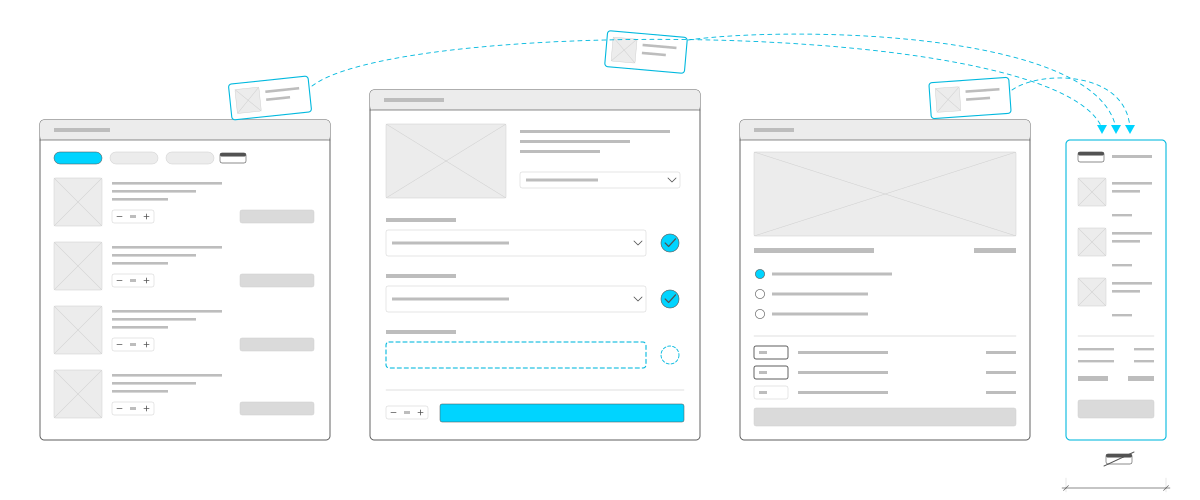
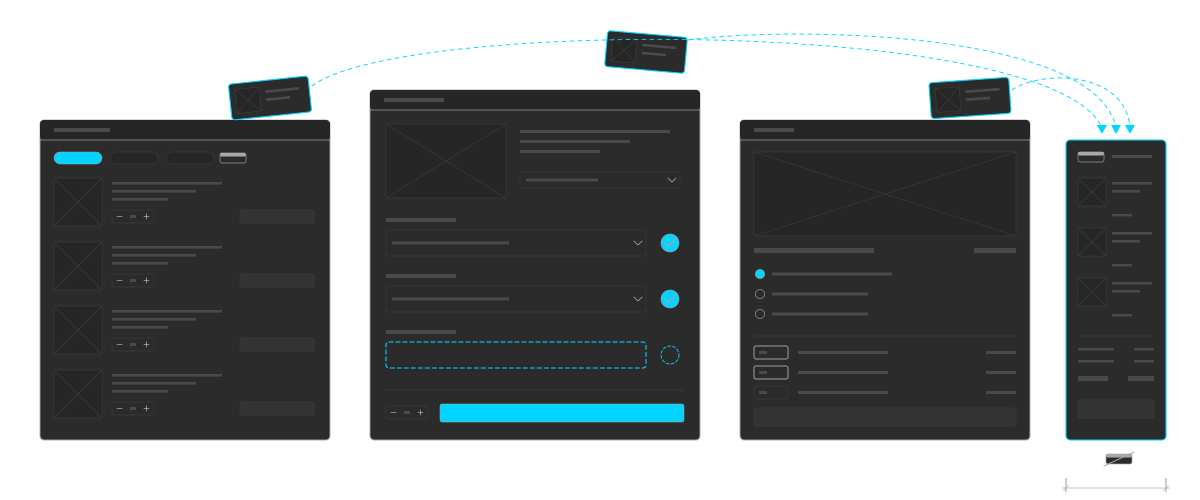
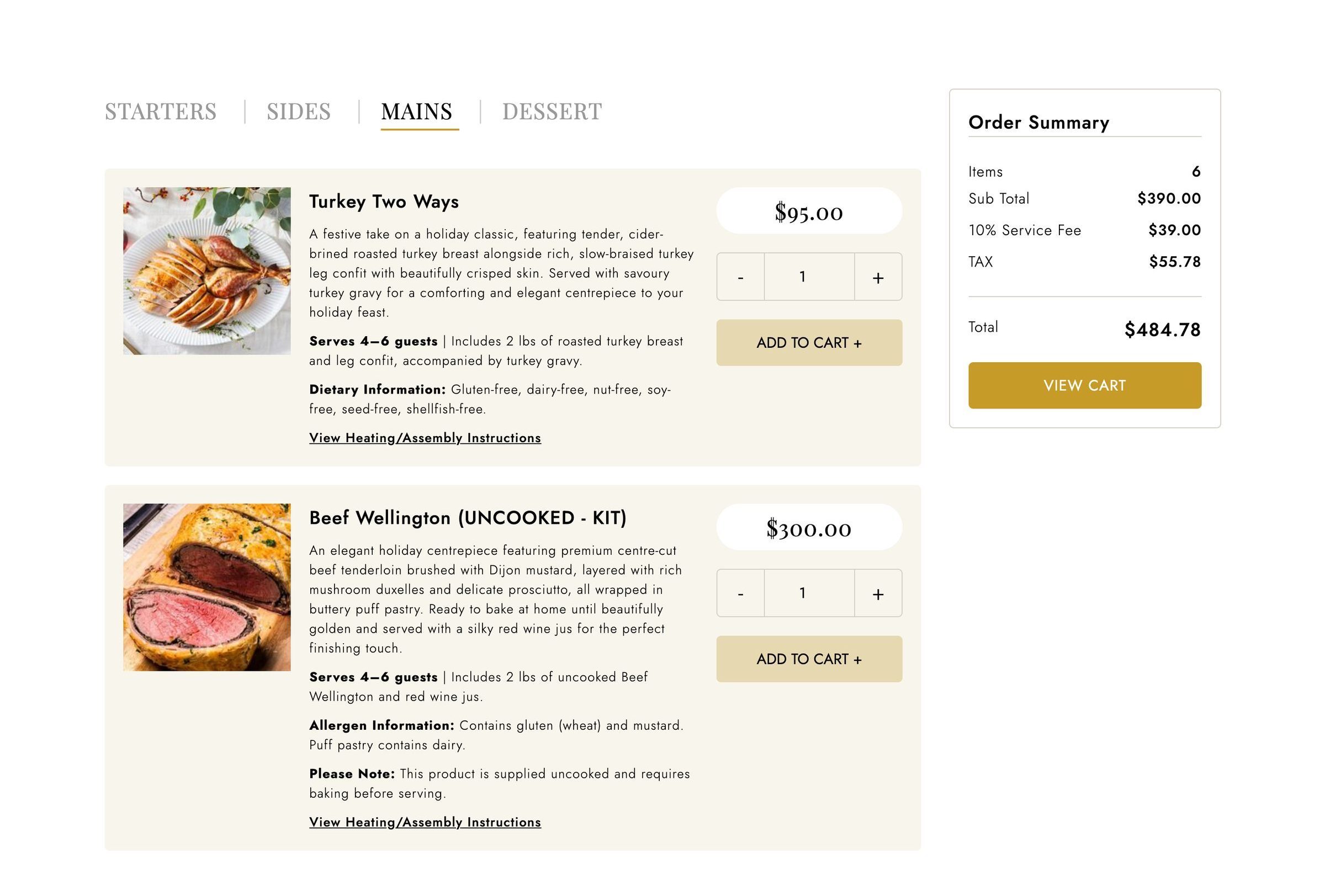
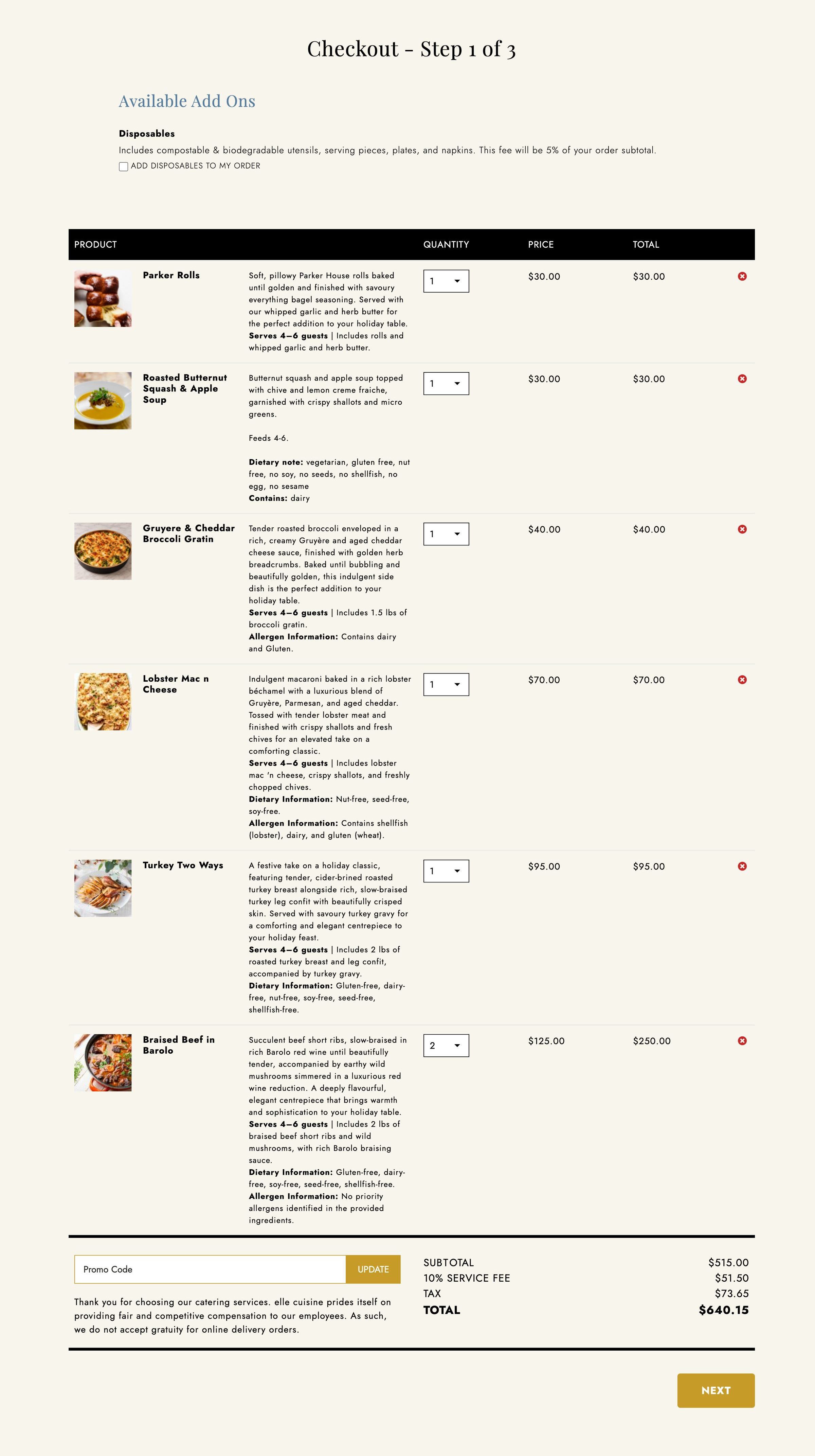
Three ways to build an order, each dropping a line into one cart. On the left, dishes by category: tabs, one with the menu's date, and dishes with a photo, a quantity and an add button. In the middle and largest, a package chosen course by course: two courses filled with cyan ticks, the third still empty and outlined in cyan, and the cyan add button. On the right, a kit: a photo, one option chosen, and extras with their prices. From each, a small card lifts out and a dashed cyan curve carries it into the cart, a narrow column on the far right with the menu's date in its header, a line of each kind and the totals. Under the cart, a second date crossed out, for a menu from another date that can't join it.Three ways to build an order, each dropping a line into one cart. On the left, dishes by category: tabs, one with the menu's date, and dishes with a photo, a quantity and an add button. In the middle and largest, a package chosen course by course: two courses filled with cyan ticks, the third still empty and outlined in cyan, and the cyan add button. On the right, a kit: a photo, one option chosen, and extras with their prices. From each, a small card lifts out and a dashed cyan curve carries it into the cart, a narrow column on the far right with the menu's date in its header, a line of each kind and the totals. Under the cart, a second date crossed out, for a menu from another date that can't join it.
Three ways to order, one cart: dishes by category, a package chosen course by course that can't go in until every course is filled, or a kit with its options and extras. Menus for different dates can't share a cart. A drawing, not a screenshot.

Three ways to build an order

  • Dishes by category. Each dish has a photo, a description, how many it serves, its dietary and allergen notes, heating instructions and a quantity with its own minimum, maximum and step.
  • Packages. The customer picks a package, then their dishes for each course, and the site checks every course is filled before it goes in the cart.
  • Kits. Options as one choice or as quantities, with extras priced on top.
  • One cart. All three go in the same cart, with platters and disposables as add-ons, promo codes and, when it's switched on, a tip.
  • Menus by date. Menus offered only on certain dates can't be mixed with menus for other dates, and the site says why.
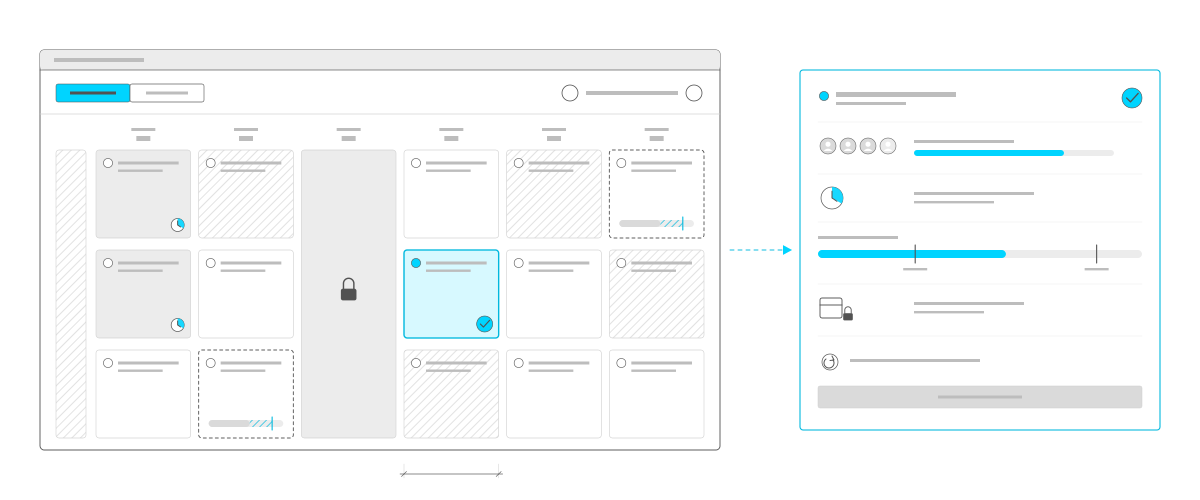
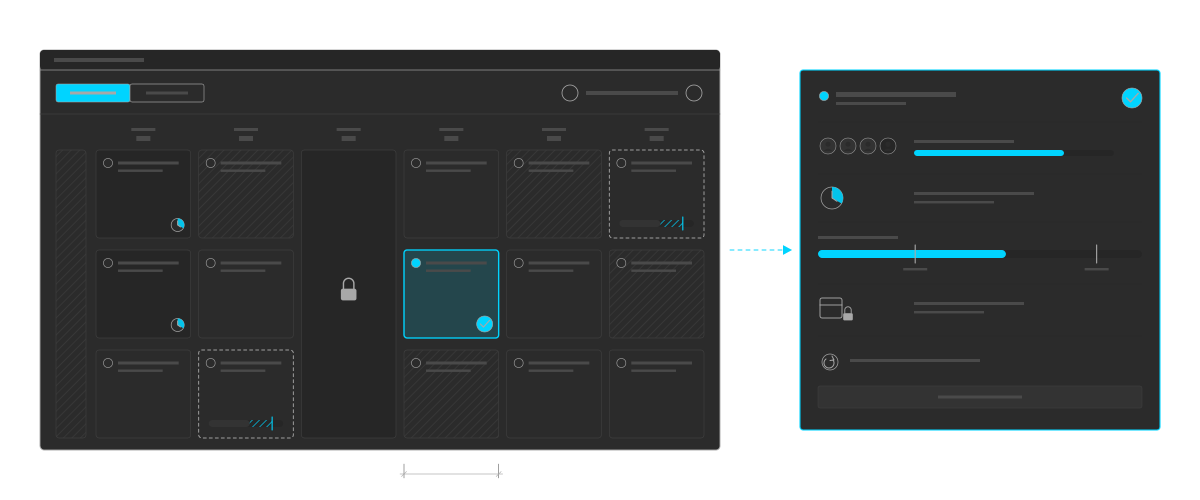
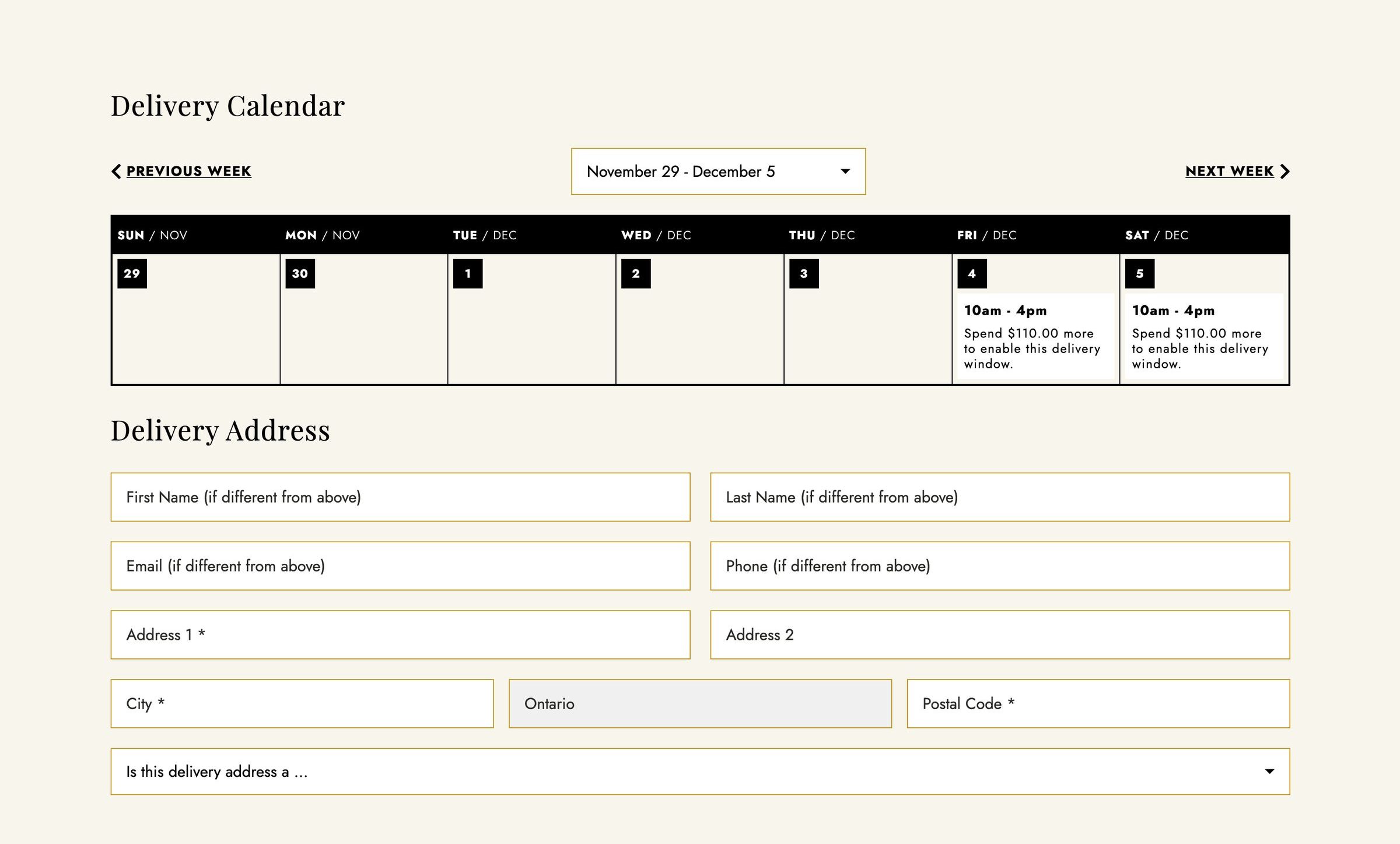
The delivery calendar. A window with Delivery chosen in cyan beside Pickup, and the week. A day already past is hatched, and one day is closed, grey with a padlock. The other days hold three time windows each: open, full and hatched, too soon to book with a small clock, or open only to larger orders, outlined in dashes with a bar showing how much more the order needs, the gap hatched in cyan. One window is chosen, outlined in cyan with a tick, and a measuring line sits under its day. An arrow leads to that window opened up: three of four places taken and a bar nearly full, a clock for how far ahead it must be booked, the order between the minimum and maximum spend, a calendar with a padlock for closed dates, and a symbol for checking it all again at payment.The delivery calendar. A window with Delivery chosen in cyan beside Pickup, and the week. A day already past is hatched, and one day is closed, grey with a padlock. The other days hold three time windows each: open, full and hatched, too soon to book with a small clock, or open only to larger orders, outlined in dashes with a bar showing how much more the order needs, the gap hatched in cyan. One window is chosen, outlined in cyan with a tick, and a measuring line sits under its day. An arrow leads to that window opened up: three of four places taken and a bar nearly full, a clock for how far ahead it must be booked, the order between the minimum and maximum spend, a calendar with a padlock for closed dates, and a symbol for checking it all again at payment.
The delivery calendar: a week of time windows, each with its own limit on orders, notice, minimum and maximum spend and closed dates. A window the order doesn't qualify for shows how much to add, and the choice is checked again at payment. A drawing, not a screenshot.

A time window, not just a date

The customer chooses pickup or delivery, then a time window on a weekly calendar. Behind each window, staff set:

  • How many orders it takes. Once it's full, it closes.
  • How far ahead it must be booked, with one lead time for every window unless a window sets its own.
  • A minimum or maximum spend. A window the order doesn't qualify for says how much to add or remove to open it.
  • Dates the kitchen is closed, for delivery, pickup or only some menus.

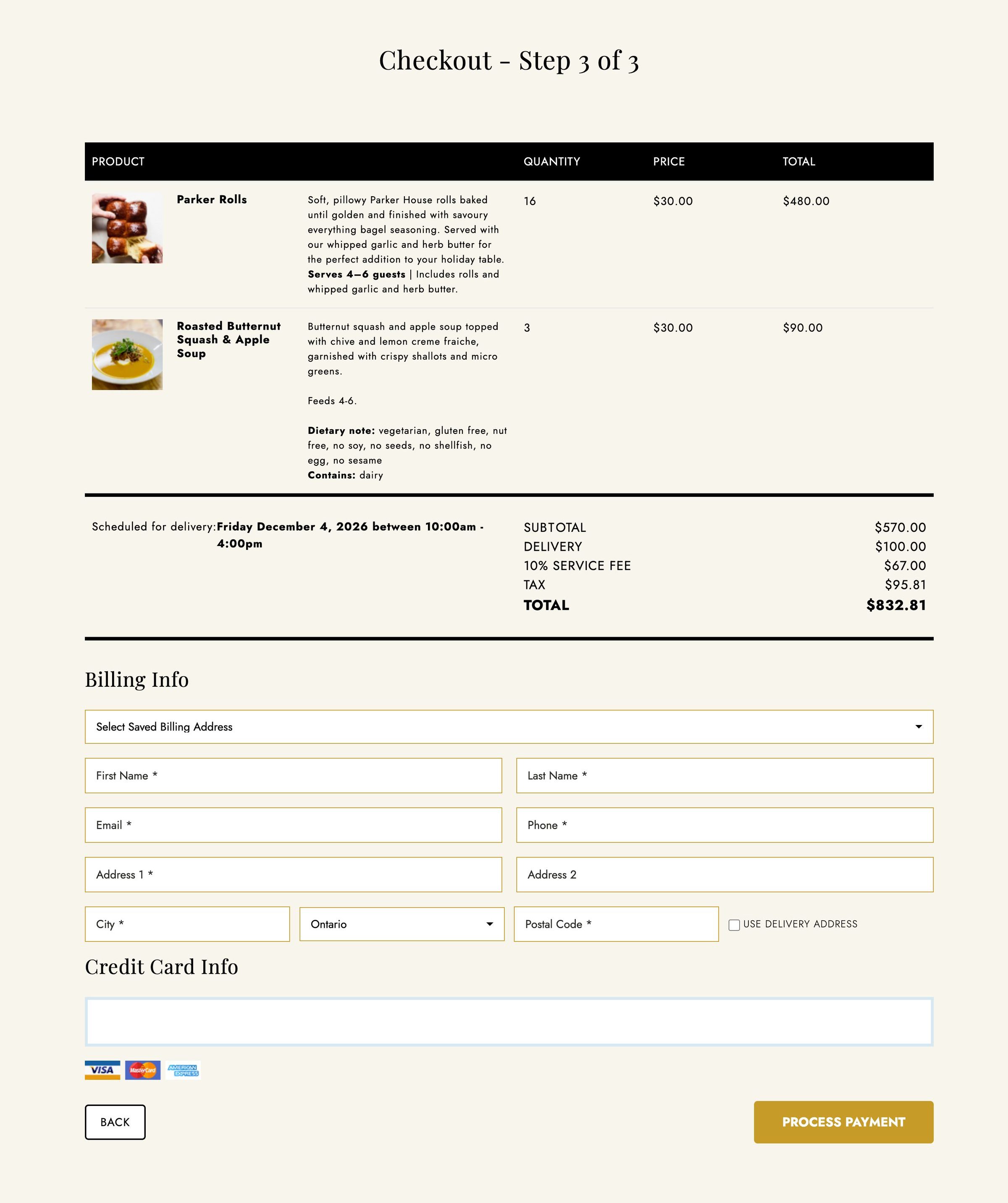
Everything is checked again at payment, so a window that fills up while someone is checking out is caught before the card is charged.

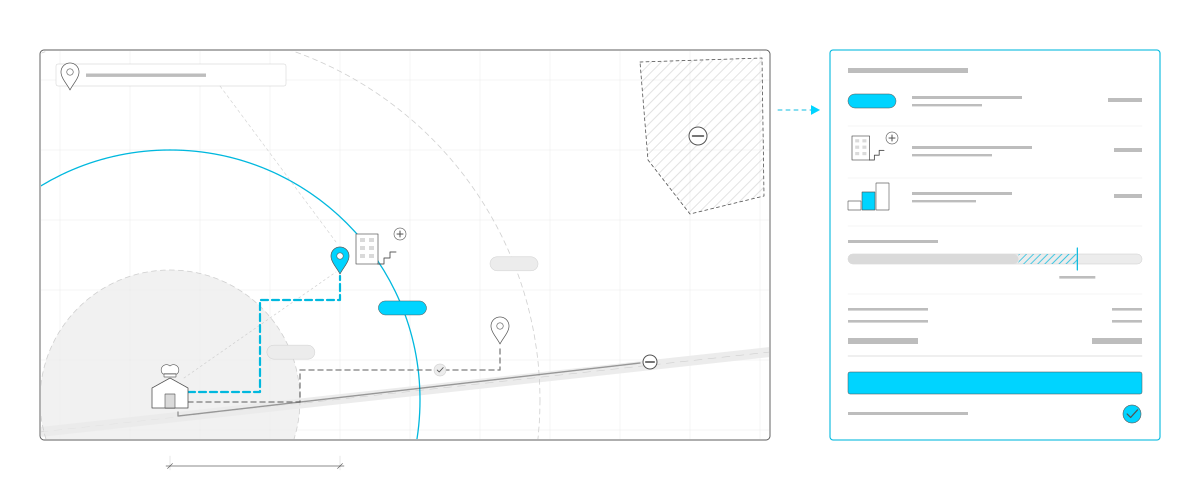
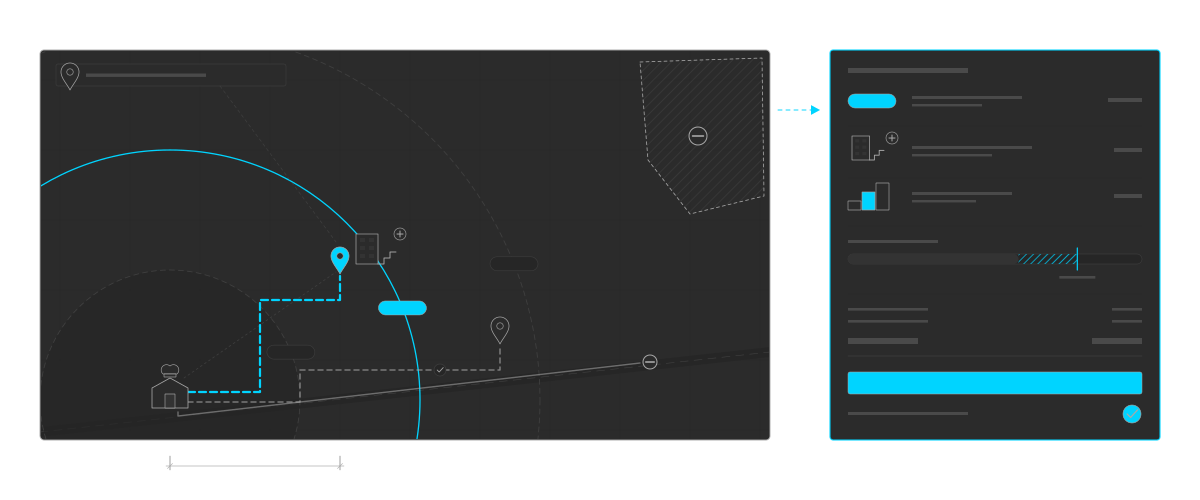
Delivery priced by distance. A large map: the address typed into a field at the top, pointing to a cyan pin. The kitchen sits inside three distance bands, the middle one drawn in cyan, each band carrying its fee label, the middle one cyan. A dashed cyan route follows the streets from the kitchen to the pin, with a faint straight line beside it for the distance as the crow flies. Next to the pin, a condo building with stairs and a plus sign. In the top corner, a hatched area that isn't served, with a no-entry sign. Along the bottom, a highway: a grey route along it to a further address ends at a no-entry sign, and a dashed grey route through the streets reaches that address with a small tick. A measuring line under the map runs from the kitchen to the pin. An arrow leads to a panel that builds the fee line by line: the band's fee in cyan, the address type adding to it, a larger order moving it up a tier, and a bar for free delivery over a set total, with the amount still to go hatched in cyan. Then the totals, a cyan button and a tick.Delivery priced by distance. A large map: the address typed into a field at the top, pointing to a cyan pin. The kitchen sits inside three distance bands, the middle one drawn in cyan, each band carrying its fee label, the middle one cyan. A dashed cyan route follows the streets from the kitchen to the pin, with a faint straight line beside it for the distance as the crow flies. Next to the pin, a condo building with stairs and a plus sign. In the top corner, a hatched area that isn't served, with a no-entry sign. Along the bottom, a highway: a grey route along it to a further address ends at a no-entry sign, and a dashed grey route through the streets reaches that address with a small tick. A measuring line under the map runs from the kitchen to the pin. An arrow leads to a panel that builds the fee line by line: the band's fee in cyan, the address type adding to it, a larger order moving it up a tier, and a bar for free delivery over a set total, with the amount still to go hatched in cyan. Then the totals, a cyan button and a tick.
Delivery priced by distance: the drive from the kitchen picks a band and its fee, then the address type, larger orders and free delivery over a set total adjust it. Areas that aren't served are turned away, and a far address is checked again without highways. A drawing, not a screenshot.

Delivery priced by distance

When the delivery address goes in, the site works out the driving distance from the kitchen and picks the delivery band that covers it.

  • A fee for each band, with a lower fee or free delivery above a set order total.
  • Postal codes the kitchen doesn't serve are turned away before the order goes any further.
  • Address types, such as a condo with stairs or an elevator, or an office with only a loading dock, that add a percentage or an amount to the fee, or replace it.
  • Larger orders can raise the fee in tiers that staff set.

If no band covers the distance, the site checks again by a route without highways.

After the order

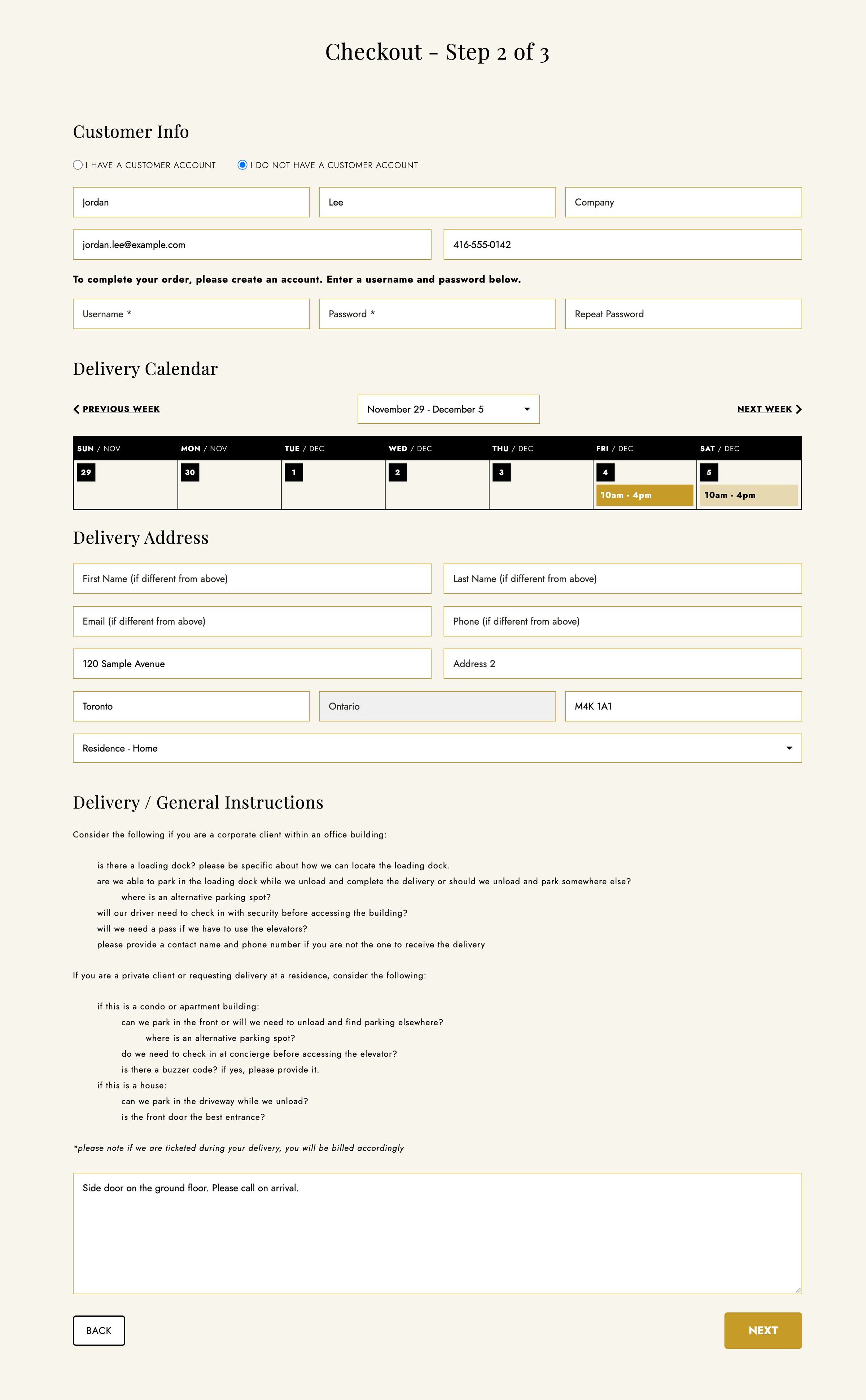
  • A receipt and instructions. The receipt goes out by email with a link to the heating and assembly instructions for the order, as a PDF.
  • Accounts. Customers keep their delivery and billing addresses and see their current and past orders.
  • Editing an order. Customers can change their order up to a set number of hours before delivery, and what they've already paid carries over as credit.
  • Reminders. Emails written by staff go out a set time before or after each order.
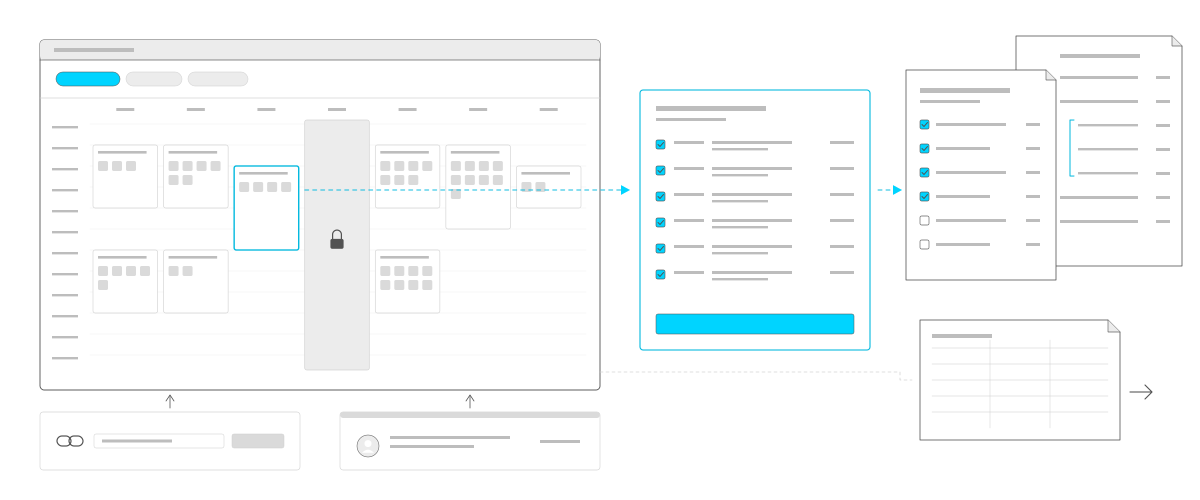
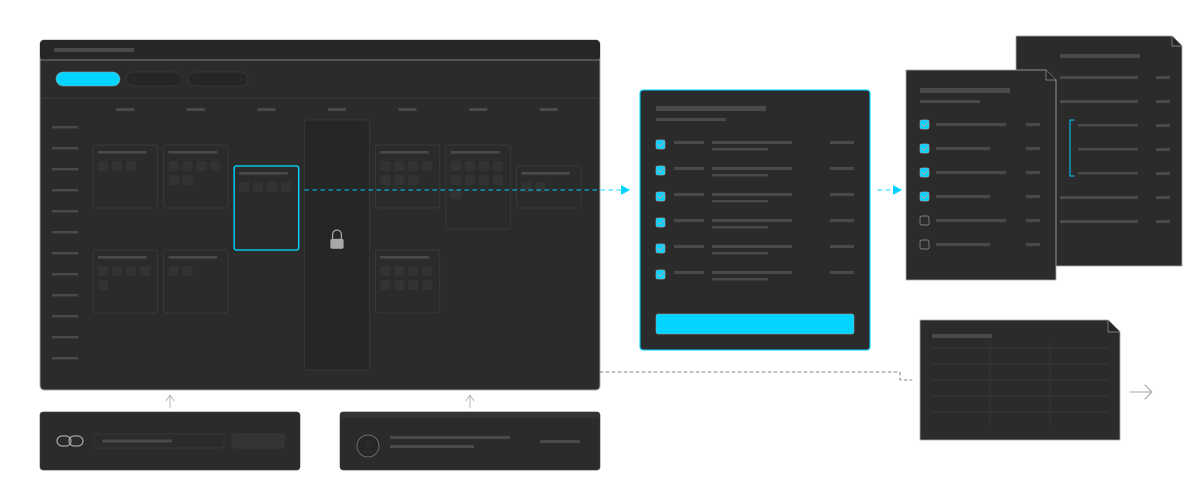
The staff side. A designEdit window with Delivery, Pickup and Holiday filters, Delivery in cyan, and a week of time windows, each holding grey squares for its bookings. A holiday is grey with a padlock. One window is outlined in cyan, and an arrow leads from it to its list of orders, all ticked, with a cyan button. Another arrow leads to the packing sheet, with four items ticked, in front of the inventory list, where a package is broken into its dishes, marked with a cyan bracket. Below them, a spreadsheet with an arrow out, for the export, linked to the schedule by a faint line. Under the schedule, a quote link and an order taken for a customer, each with an arrow up into it.The staff side. A designEdit window with Delivery, Pickup and Holiday filters, Delivery in cyan, and a week of time windows, each holding grey squares for its bookings. A holiday is grey with a padlock. One window is outlined in cyan, and an arrow leads from it to its list of orders, all ticked, with a cyan button. Another arrow leads to the packing sheet, with four items ticked, in front of the inventory list, where a package is broken into its dishes, marked with a cyan bracket. Below them, a spreadsheet with an arrow out, for the export, linked to the schedule by a faint line. Under the schedule, a quote link and an order taken for a customer, each with an arrow up into it.
The staff side in designEdit: the schedule and its bookings, a window's orders, packing sheets and an inventory list with packages broken into dishes, and a QuickBooks export. Quote links and orders taken for customers go into the same schedule. A drawing, not a screenshot.

Run from designEdit

  • A scheduling calendar of delivery, pickup and holiday windows, with the bookings in each. Opening a window shows its orders.
  • Packing sheets for each window and an inventory list, with packages and kits broken into their dishes.
  • A QuickBooks export of each order's lines and taxes.
  • Quote links. Staff set the delivery date, window and fee for a custom order and send the customer a link to order on those terms.
  • Ordering for a customer, over the phone or for payment by invoice, cheque or cash.

We still support it

The site has been taking orders for years, and we keep adding to it: customer accounts and order editing, a new calendar, fee rules for address types and larger orders, reminder emails, and a refresh of the cart and emails.

Connected services

The drawings show the idea, not the real screens; the gallery shows the live site, with five of its menus made up. Design by Mouth Media. QuickBooks is a trademark of Intuit Inc. Design of a Decade is an independent studio.

Need online ordering for your business?

Tell us about it.

info@designofadecade.com

+1 647.409.1479

Burlington, Ontario