Caribbean Music Pool · Members' portal

A subscription music library for DJs, with a player that keeps playing.

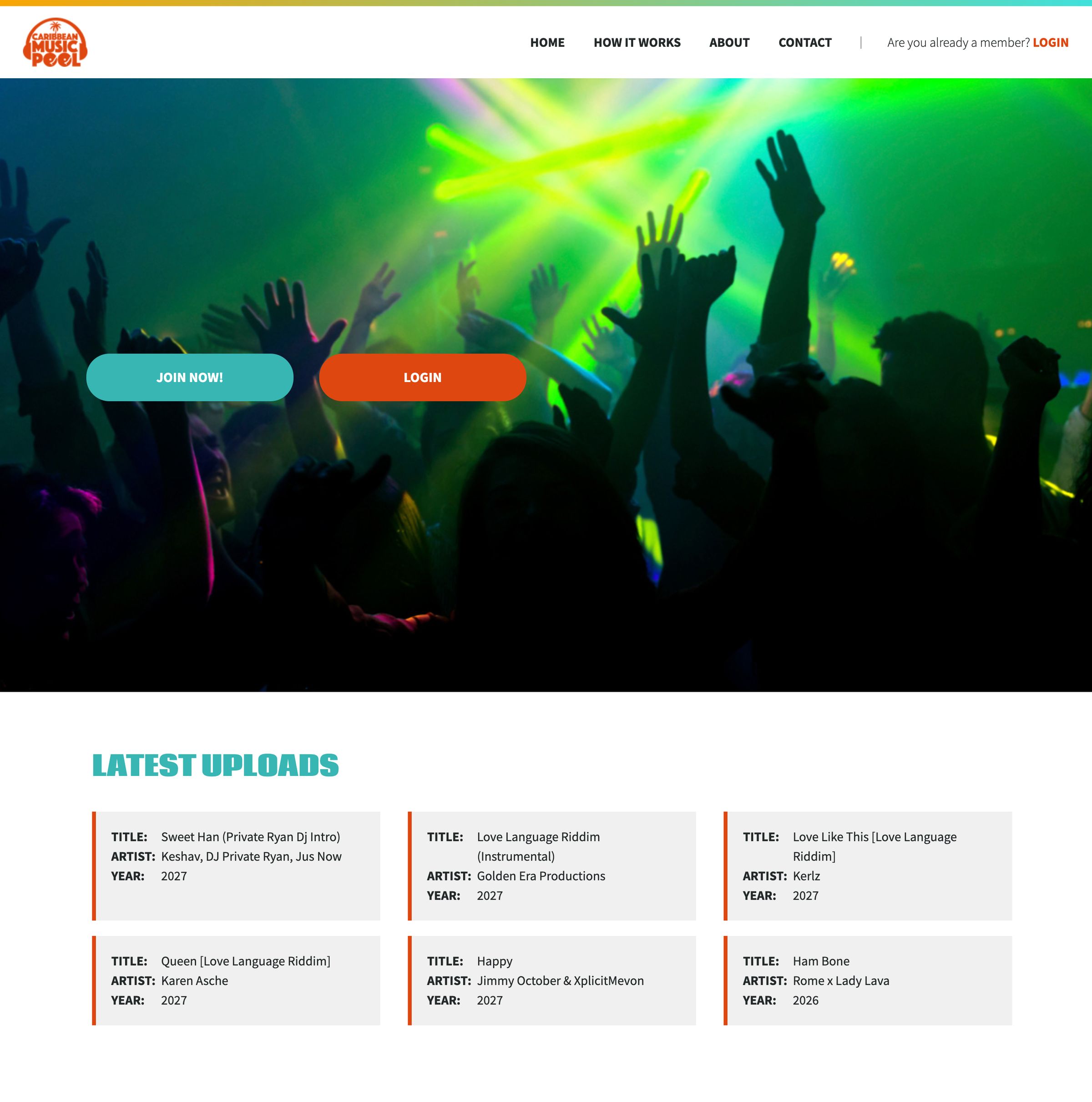
Caribbean Music Pool is a record pool: DJs and other music professionals subscribe to stream and download Caribbean music, with a focus on soca and reggae. We built the library, the memberships and the billing behind them on designEdit, and we still look after it.

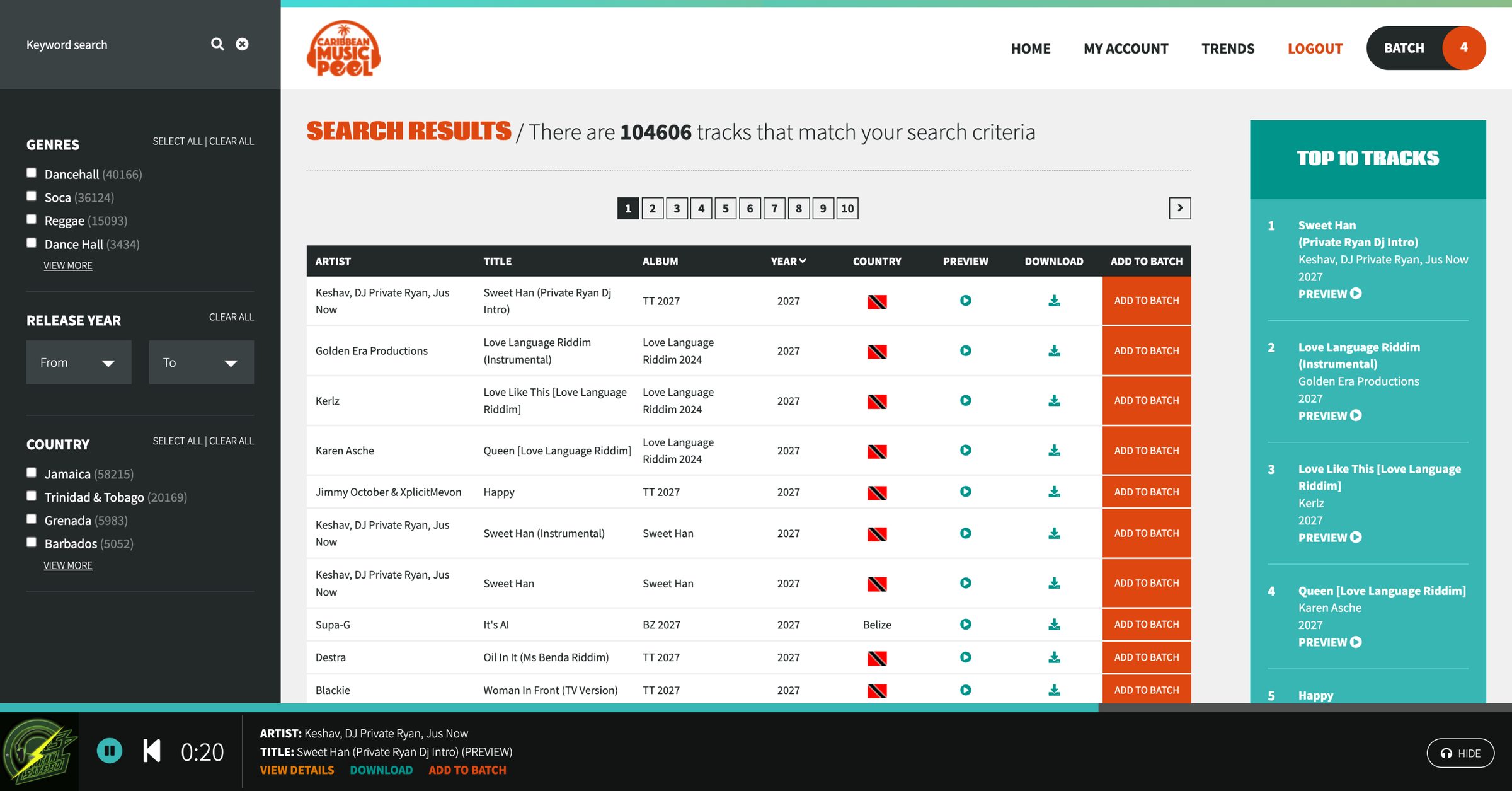
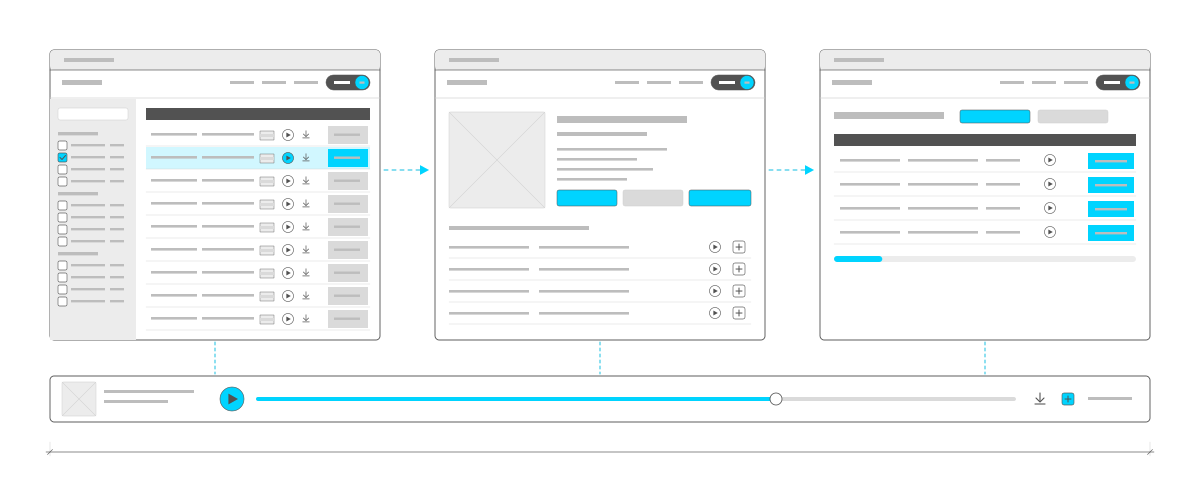
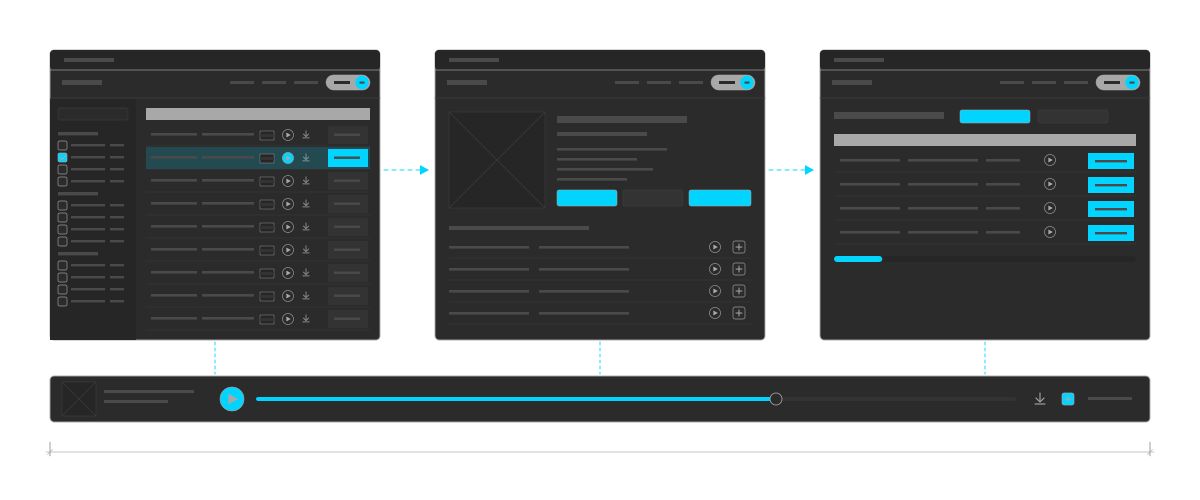
Three pages of the library side by side, joined by arrows: the search, with filters down the left and a table of tracks, each with a flag, play, download and a button to add it to the batch, the list of tracks to download together; a track page with its cover, details, buttons and more tracks by the same artist; and the batch, with its tracks and download buttons. Each page has the batch counter in its header. Under all three runs one player bar, joined to each page by a dashed line, with the cover, a cyan play button and a progress bar more than halfway along.Three pages of the library side by side, joined by arrows: the search, with filters down the left and a table of tracks, each with a flag, play, download and a button to add it to the batch, the list of tracks to download together; a track page with its cover, details, buttons and more tracks by the same artist; and the batch, with its tracks and download buttons. Each page has the batch counter in its header. Under all three runs one player bar, joined to each page by a dashed line, with the cover, a cyan play button and a progress bar more than halfway along.
It works like an app: members go from searching to a track's page to their list of tracks to download, and the same player keeps playing under every page. A drawing, not a screenshot.

At a glance

Client
Caribbean Music Pool
A record pool for DJs and music professionals
More than 100,000 tracks
What we did
Music library with search and previews
Subscriptions and member approval
Full-track and batch downloads
Weekly trends
Ongoing updates
For staff
Tracks added in batches from their tags
A builder for the weekly trends
Member, payment and search reports
Track requests from members
Platform
designEdit
In use

A record pool, not a streaming service

DJs need new tracks the week they come out, ready to play. A record pool gives working music professionals that in one place, for a monthly or yearly fee. Caribbean Music Pool needed a library members can search and listen to quickly, full downloads only paying members can get, and memberships that stay in step with their payments without someone checking each one by hand.
Finding a track

  • Search and filters. Keywords across title, artist, album, label, genre, country and track type, with filters for genre, country and track type that show how many tracks each holds, and a range of release years.
  • Every version. Songs come in the versions DJs play, such as instrumentals, a cappellas, TV tracks and DJ intros, each listed as its own track.
  • Results that save time. The newest releases come first, and members can sort by artist, title, album, year or country. Featured tracks are pinned to the top, and tracks the member has already downloaded are marked so they don't get them twice. Every row can be previewed, downloaded or added to their download list without leaving the results, and selecting an album shows every track on it.
  • It works like an app. Most websites load a whole new page with every click. The library loads only the part of the page that changes, like a single-page app, while the address bar and the back button still work as they should. So the player along the bottom keeps going: members can search, open a track, add it to their download list and come back without the music cutting out.
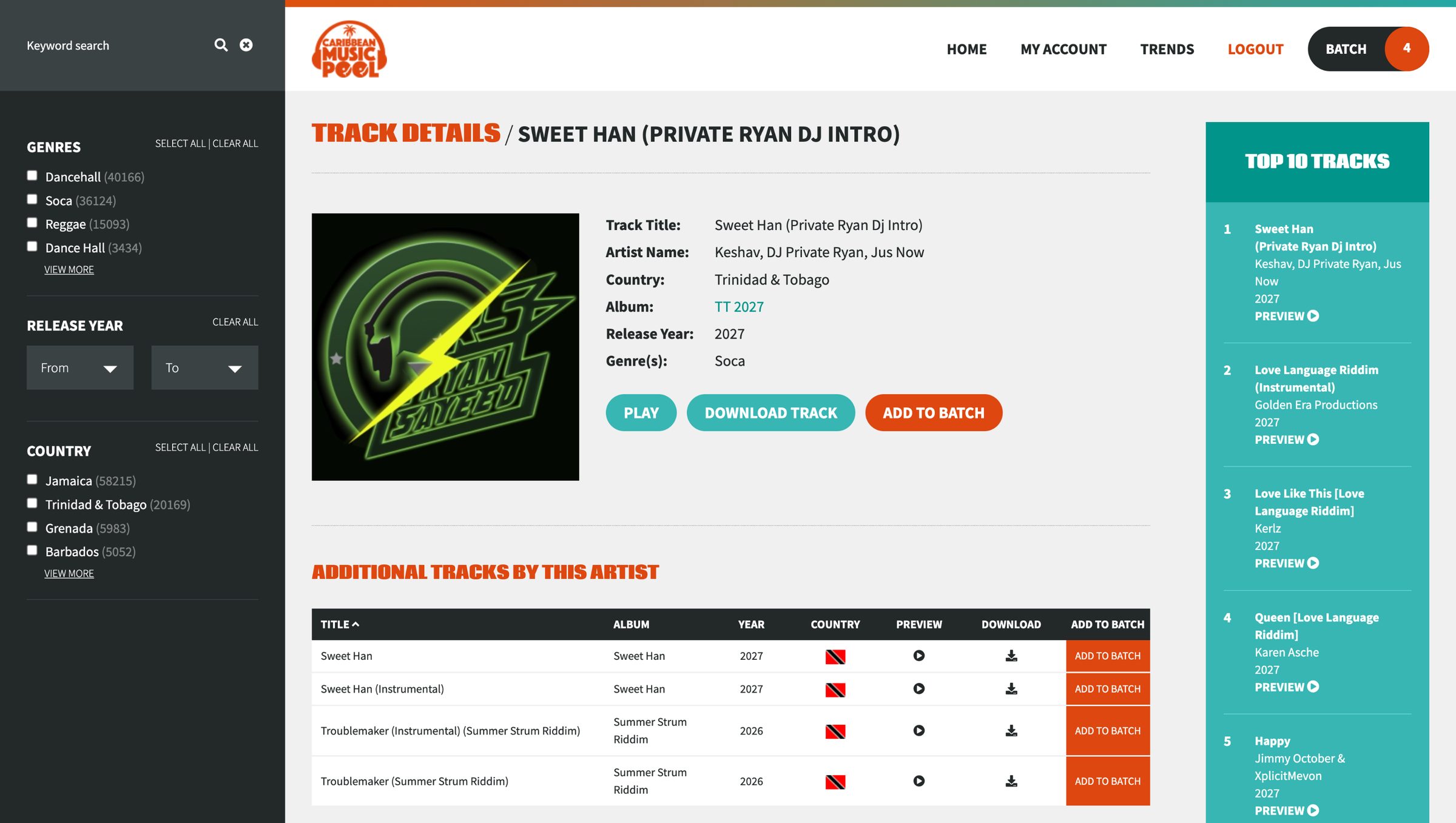
  • Track pages. Cover art, artist, album, year, genre and label, with more tracks by the same artist.
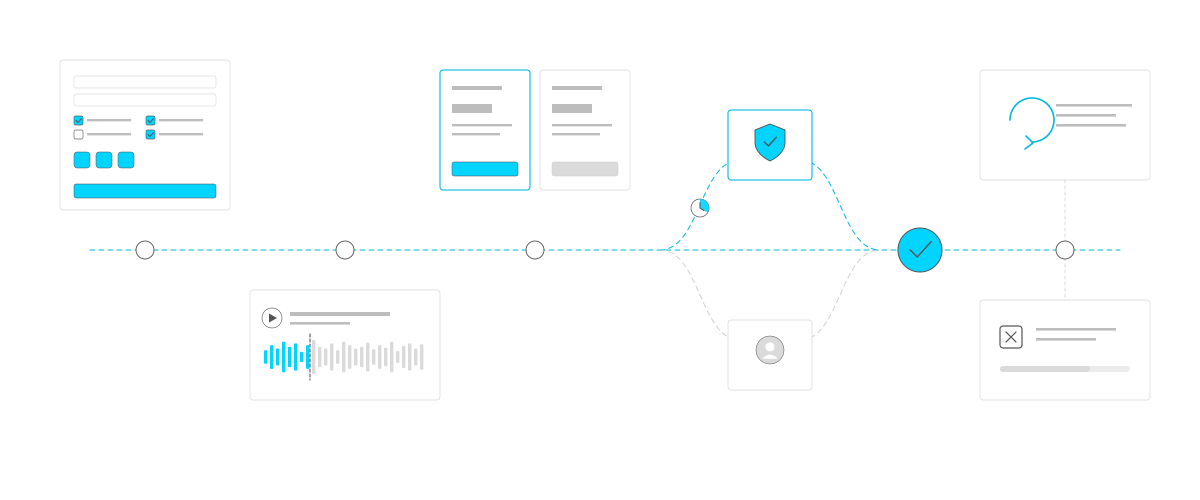
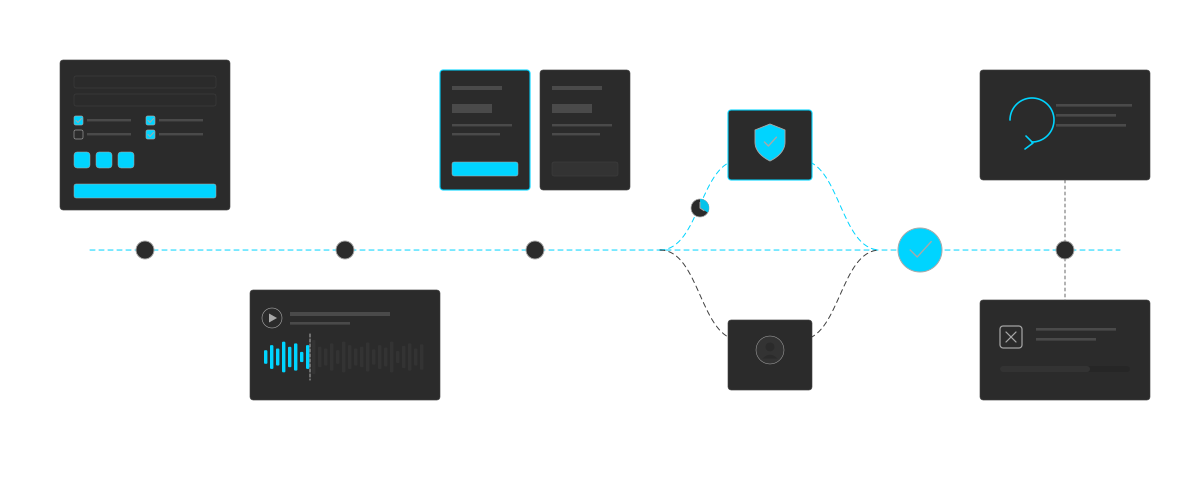
Joining, drawn as a journey along a dashed line. The sign-up form with industry checkboxes and three profile links. A preview with a 30-second clip, its waveform lit only up to a dashed cut-off. Two plan cards, the first chosen in cyan. The line then splits: up to a card with a cyan shield, approved from the profile, with a clock for the short wait; or down to a card with a person, reviewed by staff. Both rejoin at a large cyan tick for an active member. At the end, a card with a renewal arrow above and a card for stopped payments below, with a bar showing the time left.Joining, drawn as a journey along a dashed line. The sign-up form with industry checkboxes and three profile links. A preview with a 30-second clip, its waveform lit only up to a dashed cut-off. Two plan cards, the first chosen in cyan. The line then splits: up to a card with a cyan shield, approved from the profile, with a clock for the short wait; or down to a card with a person, reviewed by staff. Both rejoin at a large cyan tick for an active member. At the end, a card with a renewal arrow above and a card for stopped payments below, with a bar showing the time left.
Joining: sign up, listen to previews, choose a plan, get approved from the profile or by staff, then stay active as payments renew. A drawing, not a screenshot.

Members who work in music

Anyone can sign up and look around, with 30-second previews. Full membership is for music professionals, so the sign-up asks how they work in the industry and for links to their profiles.

  • Approved automatically, or by staff. A member who gives their role in the industry and links to their profiles is approved automatically once their payment arrives. If they give too little, staff review them first.
  • Monthly, yearly or custom. Monthly and yearly plans renew through PayPal subscriptions. A custom plan starts as a request to staff.
  • In step with payments. PayPal tells the site when a payment arrives, and the site acts on it: it switches new members on once their first payment is in, cancels a sign-up whose first payment never arrives, and suspends an account that goes unpaid past its renewal date.
  • Stopping payments. Members can stop their own payments and keep access until the end of what they've paid for.
  • Affiliate prices. Members who join through an affiliate see that affiliate's prices.
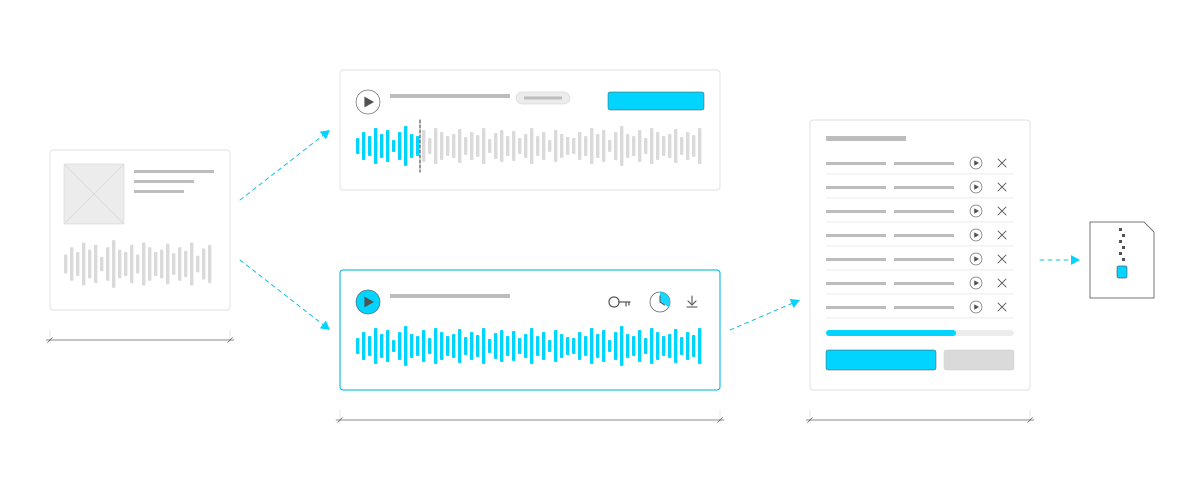
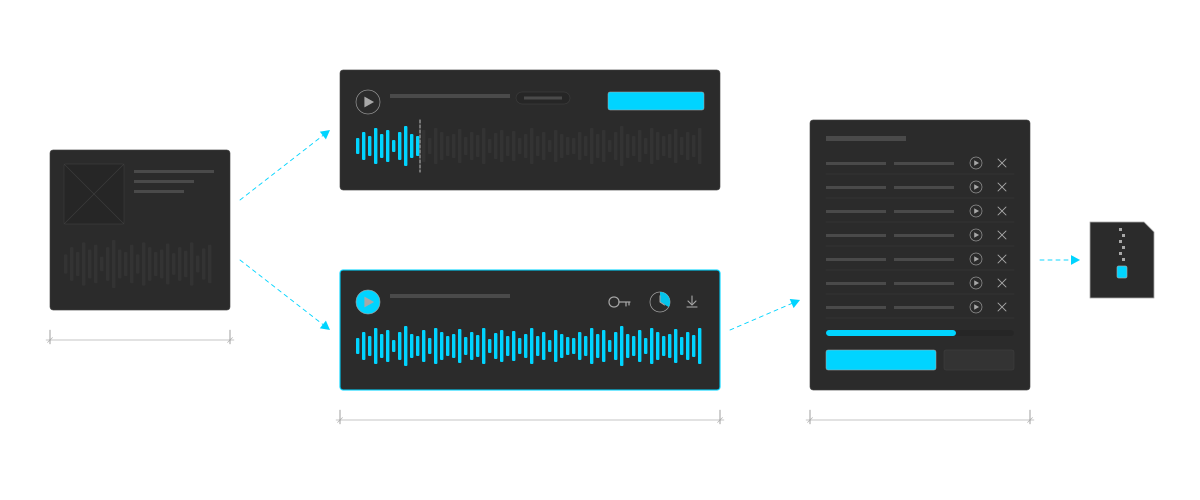
Previews and downloads. A track with its cover and a grey waveform, with two arrows out. To the top, the preview: a play button and a waveform lit in cyan only for its first part, with a dashed line where the clip ends. Below, the full track for subscribers: a cyan play button, a waveform lit all the way, a key, a clock and a download arrow. From there into the batch: a list of tracks with play and remove buttons, a cyan bar showing how full it is, and download and remove-all buttons, then a zip file.Previews and downloads. A track with its cover and a grey waveform, with two arrows out. To the top, the preview: a play button and a waveform lit in cyan only for its first part, with a dashed line where the clip ends. Below, the full track for subscribers: a cyan play button, a waveform lit all the way, a key, a clock and a download arrow. From there into the batch: a list of tracks with play and remove buttons, a cyan bar showing how full it is, and download and remove-all buttons, then a zip file.
Previews and downloads: members who haven't paid hear a 30-second clip, subscribers get the full track, and a whole batch downloads as one zip. A drawing, not a screenshot.

Protecting the music

  • Thirty-second previews. Clips are cut from the track the first time they're played and kept, and new tracks have theirs made ahead of time.
  • Music that can't be passed around. Every stream and download gets its own link that soon stops working, so sharing a link doesn't share the music.
  • Batch downloads. Members add tracks to a batch, a list of tracks to download together, and get them all as one zip.
  • Watching for misuse. Every download and login is recorded against the account. Staff are notified when an account downloads far more than usual in a week, and the dashboard shows which members download the most. Too many wrong passwords and the member has to reset theirs before they can log in again.
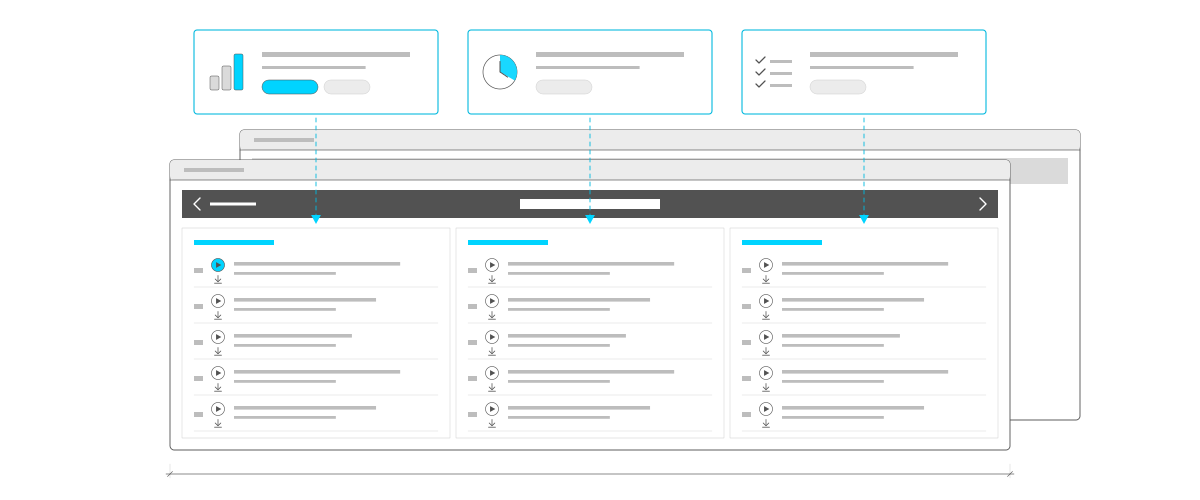
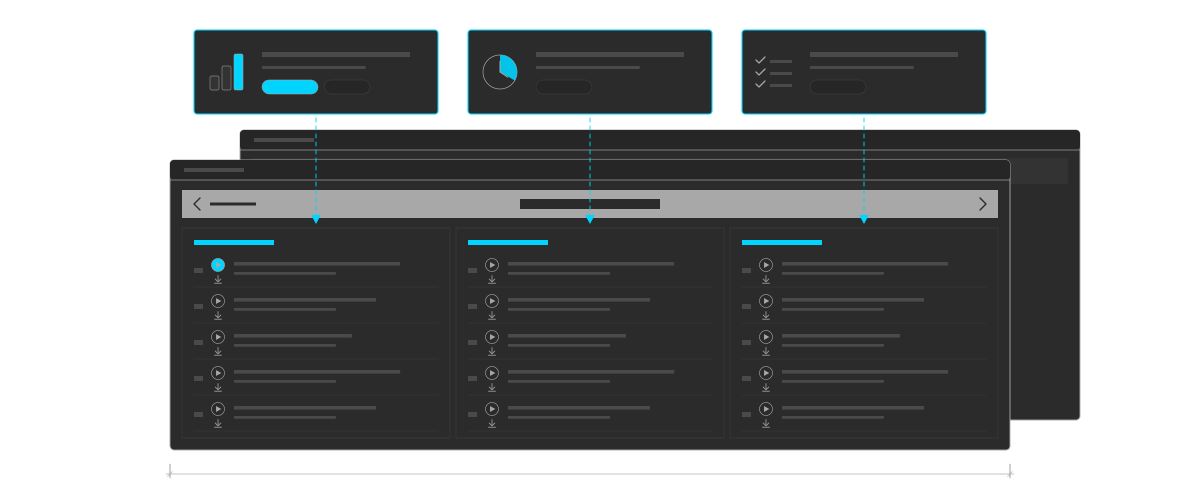
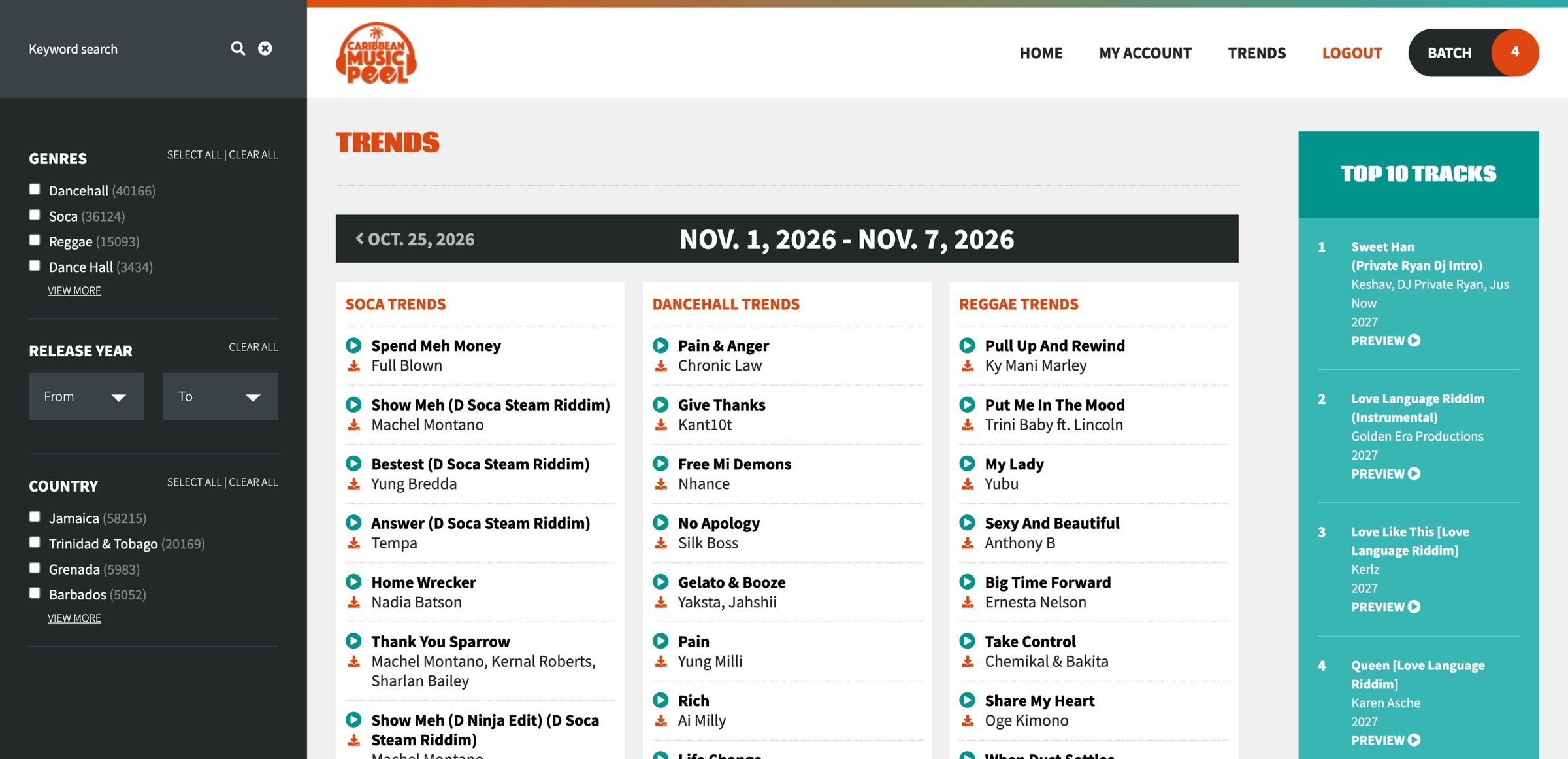
Trends, built from rules. Three rule cards along the top: rising bars for the most-downloaded tracks in a genre, a clock for the newest uploads, and a ticked list for tracks picked by hand. An arrow drops from each into its own chart on this week's page below, which has a bar for the week with back and next arrows and three charts side by side, each headed in cyan, with numbered rows of play and download buttons, the first track playing. Next week's page sits behind it.Trends, built from rules. Three rule cards along the top: rising bars for the most-downloaded tracks in a genre, a clock for the newest uploads, and a ticked list for tracks picked by hand. An arrow drops from each into its own chart on this week's page below, which has a bar for the week with back and next arrows and three charts side by side, each headed in cyan, with numbered rows of play and download buttons, the first track playing. Next week's page sits behind it.
Trends by the week: each chart is filled by a rule, such as the most-downloaded tracks in a genre or the newest uploads, or picked by hand, and there's a new set every week. A drawing, not a screenshot.

Coming back every week

  • Weekly trends. Staff build each week's lists by hand or from rules, such as the most-downloaded tracks in a genre or the newest uploads.
  • Downloads history. Members see everything they've downloaded, by date.
  • Track requests. Members can message the team to ask for a track the pool doesn't have yet, and get the reply in their account.
  • Adding tracks. Staff upload tracks in batches, and the artist, album, genre and country fill in from each file on their own. When members search for something the pool doesn't have, staff can see it, so they know what to add next.

We still support it

Caribbean Music Pool has been running for years, and we keep it up to date: payments and renewals, how tracks stream, and the software it runs on.

Connected services

The drawings show the idea, not the real screens. PayPal is a trademark of PayPal, Inc. Design of a Decade is an independent studio.

Need a members-only library or subscriptions?

Tell us about it.

info@designofadecade.com

+1 647.409.1479

Burlington, Ontario